
How do I show a client the hours behind their invoice without building a report by hand?
With TimeCampus, you can give clients direct, transparent access to their tracked hours through a dedicated Client Portal rather than assembling, formatting, and…
About this answer — Produced by our own assistant on 23 September 2026 from our published documentation. The pages it drew on are linked under the answer. It is generated text, not a statement from a person — where it and a linked page disagree, the page is right.
Answer
With TimeCampus[1], you can give clients direct, transparent access to their tracked hours through a dedicated Client Portal[2] rather than assembling, formatting, and exporting manual reports.
Because TimeCampus links timers and time entries directly to projects and clients, the portal serves as a real-time, self-serve source of truth.
How to share hours via a client link:
- Open the Client Portal: Navigate to the client management area in your workspace.
- Toggle Public Access: Switch on the Public Access toggle for the relevant client card.
- Share the Link: Copy the unique share link and send it to your client. You can use the built-in preview window to see what they will see—including total tracked hours, linked projects, current-month hours, team count, and a weekly hours trend chart.
- Regenerate Access as Needed: If an engagement ends or a link is shared too broadly, click Regenerate to instantly issue a new link and retire the old address without affecting your underlying project data.
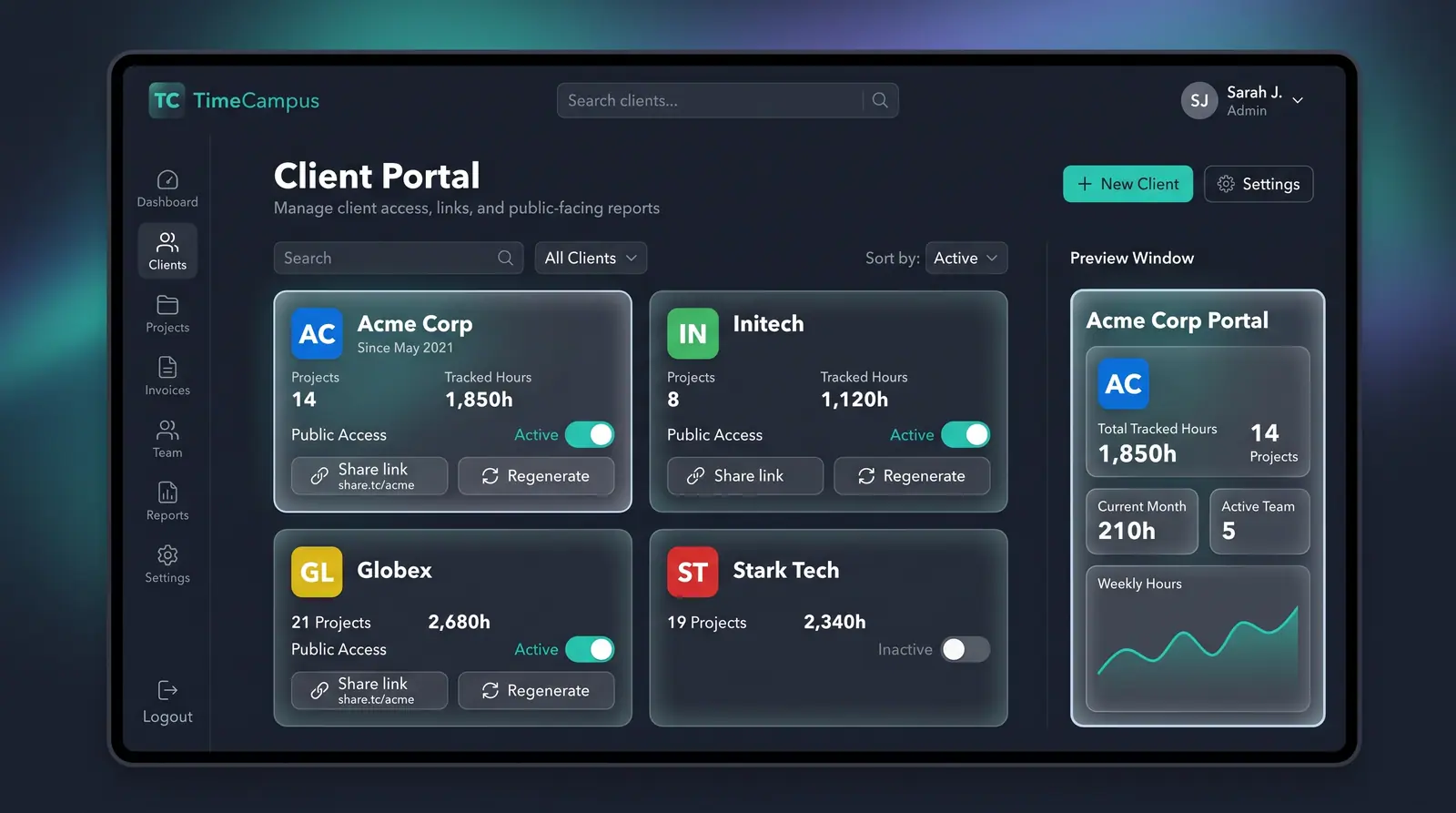 (opens in a new tab)
Illustration of the concept, not a screenshot of the actual product — Client Portal and Share Links[3]
(opens in a new tab)
Illustration of the concept, not a screenshot of the actual product — Client Portal and Share Links[3]
To see the complete interface design, visit the TimeCampus Client Portal and Share Links concept page[3], or review TimeCampus pricing[4] for portal and project limits.
Sources
The pages this answer was drawn from.
- Privacy-First AI Time Intelligence Platform | TimeCampustimecampus.com(opens in a new tab)
- Give clients a transparent window into their projects — Use Cases | TimeCampustimecampus.com(opens in a new tab)
- Client Portal and Share Links — Concept | TimeCampustimecampus.com(opens in a new tab)
- Pricing Plans | TimeCampustimecampus.com(opens in a new tab)