Team Workload and Wellbeing Pulse
After-hours share, meeting load and focus time per team, in aggregate only, so overload is seen early without watching anyone.
These images are illustrations of the concept, not screenshots of the actual product.
Overview
Team Workload and Wellbeing Pulse is a TimeCampus concept for people leaders, HR business partners and delivery leads who want to see sustained overload early without monitoring individuals. It is designed to extend the product's aggregate team analytics with after-hours share, a minimum group size and suggested next steps that reach planning and staffing, while every employee keeps a private view of their own week.
In HR and workforce management, overload tends to surface late, in attrition, sick leave or a missed release. The earlier signals, such as evenings and weekends creeping into the week, meetings crowding out focus time, or a team committing beyond its capacity sprint after sprint, are hard to see without measurement, and measurement easily turns into surveillance. The design keeps that line firm: only teams at or above a minimum size show figures, only aggregates are shown, and nothing individual is shared unless the person chooses to share it.
The illustrated desktop page, Team Workload Pulse, is labeled aggregate only for teams of five or more and carries a banner of no screenshots, no keystrokes and no individual view. Three team cards show headcount, a six-week trend line and three figures: after-hours share, meeting hours per week and focus hours per week, with badges such as sustained for three weeks, steady or meeting heavy. A fourth card, for a team below the minimum size, is grayed out with a lock and marked hidden. The selected team's panel shows six weeks of hours by type, split into deep work, meetings, communication and after-hours, with a note that weekend activity has risen three weeks in a row. On a phone, My Week is private to the employee: after-hours time against their own four-week average, evenings worked, focus, meetings, weekend time, an offer to protect an evening and a list of what the team sees. Teams and figures are sample data.
For the selected team, which carries the sustained badge, Suggested actions propose three concrete steps: a capacity note for PlanMagnet, designed to sit beside a sprint commitment that in the sample exceeds the team's capacity, a staffing request in CrewFoundry for one cloud operations engineer, and a no-meeting Wednesday. Send to PlanMagnet and Open staffing request buttons are designed to carry those hand-offs to the two other Burdenoff products, so the evidence reaches the people who plan and staff the work.
What this concept shows
- Team cards with after-hours share, meeting hours per week and focus hours per week, plus a trend line
- Status badges such as sustained for three weeks, steady and meeting heavy
- Aggregate only, for teams of five or more, with smaller groups hidden
- A standing banner of no screenshots, no keystrokes and no individual view
- Six weeks of hours by type across deep work, meetings, communication and after-hours
- Suggested actions with Send to PlanMagnet and an Open staffing request button for CrewFoundry
- A private My Week on the phone comparing after-hours time with the person's own four-week average
- A What your team sees card with aggregate sharing switches and personal context never shared
How it works
- Open Team Workload Pulse to see each team's after-hours share, meeting load and focus time as aggregates.
- Spot teams with a sustained or meeting-heavy badge, while groups below the minimum size stay hidden.
- Select a team to read six weeks of hours by type and notes such as rising weekend activity.
- Send a capacity note to PlanMagnet to sit beside the sprint commitment, or suggest a no-meeting day.
- Open a staffing request in CrewFoundry, such as the sample request for one cloud operations engineer.
- Each employee reviews My Week privately on a phone, protects an evening if they choose and decides what the team sees.
Who it's for
- HR business partners
- People and engineering leaders
- Delivery and program leads
- Workforce planning teams
- Employees who want a private view of their own workload
Illustrations
2 illustrations of this concept. Select one to view it full size.
Team Workload Pulse
This illustration shows Team Workload Pulse in a browser, viewed by a head of product, with a labeled sidebar that has Analytics selected. Its header reads aggregate only, teams of five or more, above a banner of no screenshots, no keystrokes and no individual view. Three team cards show headcount, a six-week trend line and three figures: after-hours share, meeting hours per week and focus hours per week. Badges read sustained for three weeks, steady and meeting heavy; a fourth card, for a team of four, is grayed out with a lock as below the minimum group size and hidden. The selected team's panel stacks six weeks of hours by type across deep work, meetings, communication and after-hours, notes weekend activity rising three weeks in a row, and suggests a PlanMagnet capacity note, a CrewFoundry request for one engineer and a no-meeting Wednesday, with Send to PlanMagnet and Open staffing request buttons. A footer says people see their own data privately in My Time. Figures are sample data.
My Week, Private to You
This illustration shows My Week on a phone, marked with a padlock and the words private to you, beside a rail for Home, Balance, Calendar, Tasks and Goals. A ring shows after-hours time this week and notes that it is above the person's own four-week average. Rows below list evenings worked out of the working week, the longest focus block, meeting time and weekend time. A suggestion card asks whether to protect a Thursday evening by blocking the calendar from six in the evening onward, with Protect and Not now buttons. A What your team sees card lists weekly focus ratio and after-hours share as aggregate and switched on, personal context as never shared with a lock, and a Change sharing link. The comparison is with the person's own pattern rather than with colleagues. Figures are sample data.
Topics
- team burnout early warning
- workload monitoring without surveillance
- after-hours work tracking
- aggregate workforce analytics
- meeting load by team
- focus time analytics
- employee wellbeing dashboard
- privacy-first people analytics
- team overload and capacity
- weekend work trends
Related concepts
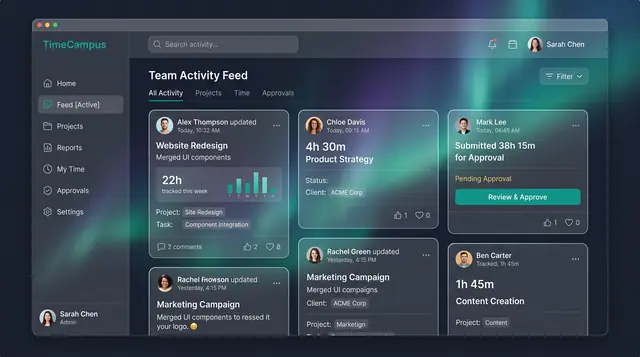
Team Activity and Capacity Planning
Follow what the team is working on, read aggregate time and meeting load, and plan allocations week by week against real capacity.
3 illustrations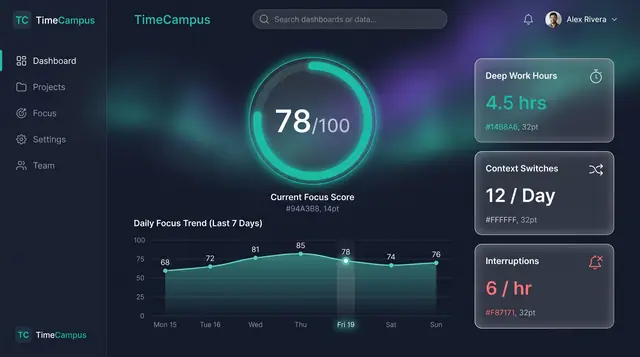
Focus Score and Work Patterns
A single focus score, the deep-work and interruption figures behind it, and the weekly rhythm that explains both.
2 illustrations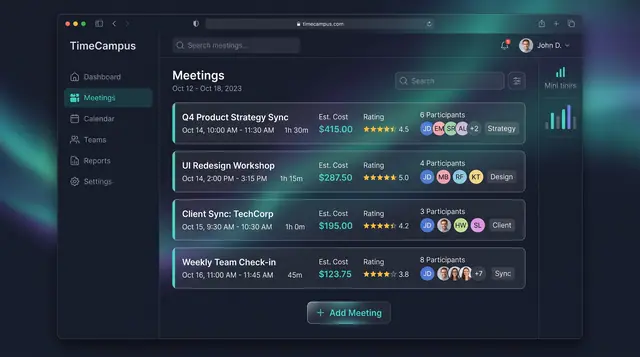
Meeting Cost and Load
See what every meeting costs in hours and money, rate its value, and watch weekly meeting load before it crowds out focus.
3 illustrations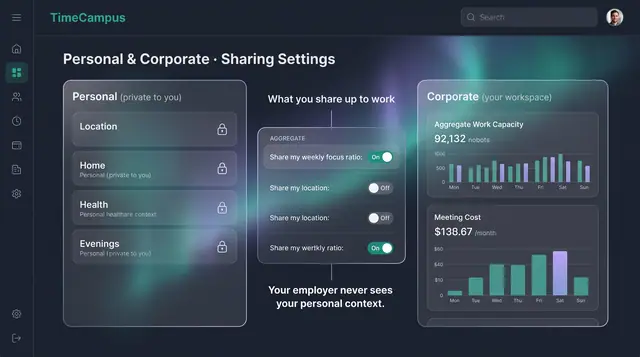
Privacy, Consent and Personal Boundaries
Decide what is captured, how long it is kept, and exactly what crosses from your personal life into your workspace.
3 illustrations
Part of industry solutions
This concept appears in cross-product solutions on burdenoff.com — see how it works alongside other Burdenoff products to solve a problem in that industry.
Industry solution
HR, Staffing & Workforce
Shows after-hours share, meeting load and focus time per team, only in aggregate and above a minimum group size, with a capacity note ready to send to PlanMagnet.
See the solution(opens in a new tab)
Industry solution
Accounting, Tax & Audit
Shows after-hours share and weekend activity for the tax team in aggregate only, and passes CrewFoundry a team load warning, never figures for one person.
See the solution(opens in a new tab)